Inside a tower block, GPS knows which building you're in but not which floor. A photo of a leaking pipe stamped with the right street address still leaves the question: was that on the 7th floor or the 17th? Technicians end up writing "L7" in the note, or forgetting to, and the maintenance team walks the wrong corridor.
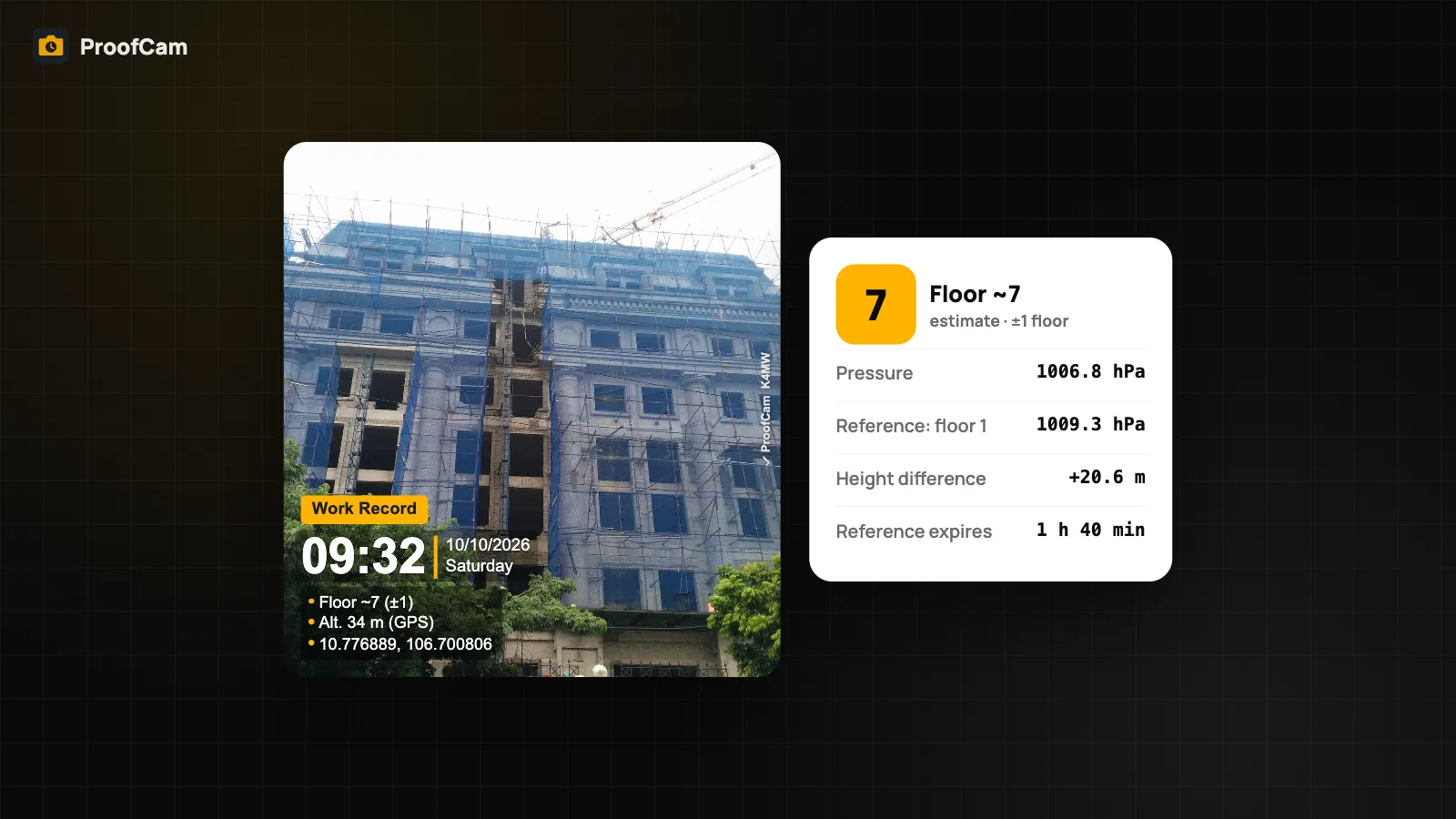
ProofCam can estimate the floor level from the phone barometer and print it on the photo as "Floor ~7 (±1)". You set a reference floor once, the phone tracks the change in air pressure as you go up or down, and every photo carries an approximate floor. This guide explains how it works, how to calibrate it, and where its limits are.
How a phone barometer finds the floor
Many phones have a small air pressure sensor. Air pressure drops as you go higher, by a small but measurable amount per storey. ProofCam uses that change, not an absolute altitude, to estimate how many floors you've moved.
The calculation is simple:
- Floor = reference floor + height difference ÷ about 3.3 m per storey.
- The pressure reading is smoothed over 2 seconds to ignore brief spikes.
- Below the reference, floors go into basements: B1, B2 and so on.
- The result is always printed as an estimate with its margin, for example Floor ~7 (±1).
The 3.3 m storey height is fixed and cannot be changed in the app. In buildings with tall lobbies, mezzanines or double-height plant floors, the estimate can drift by a floor, which is why the ±1 is always shown.
Set the reference floor
The barometer only knows changes in pressure, so it needs a starting point.
- In your watermark template, turn on Floor (barometer).
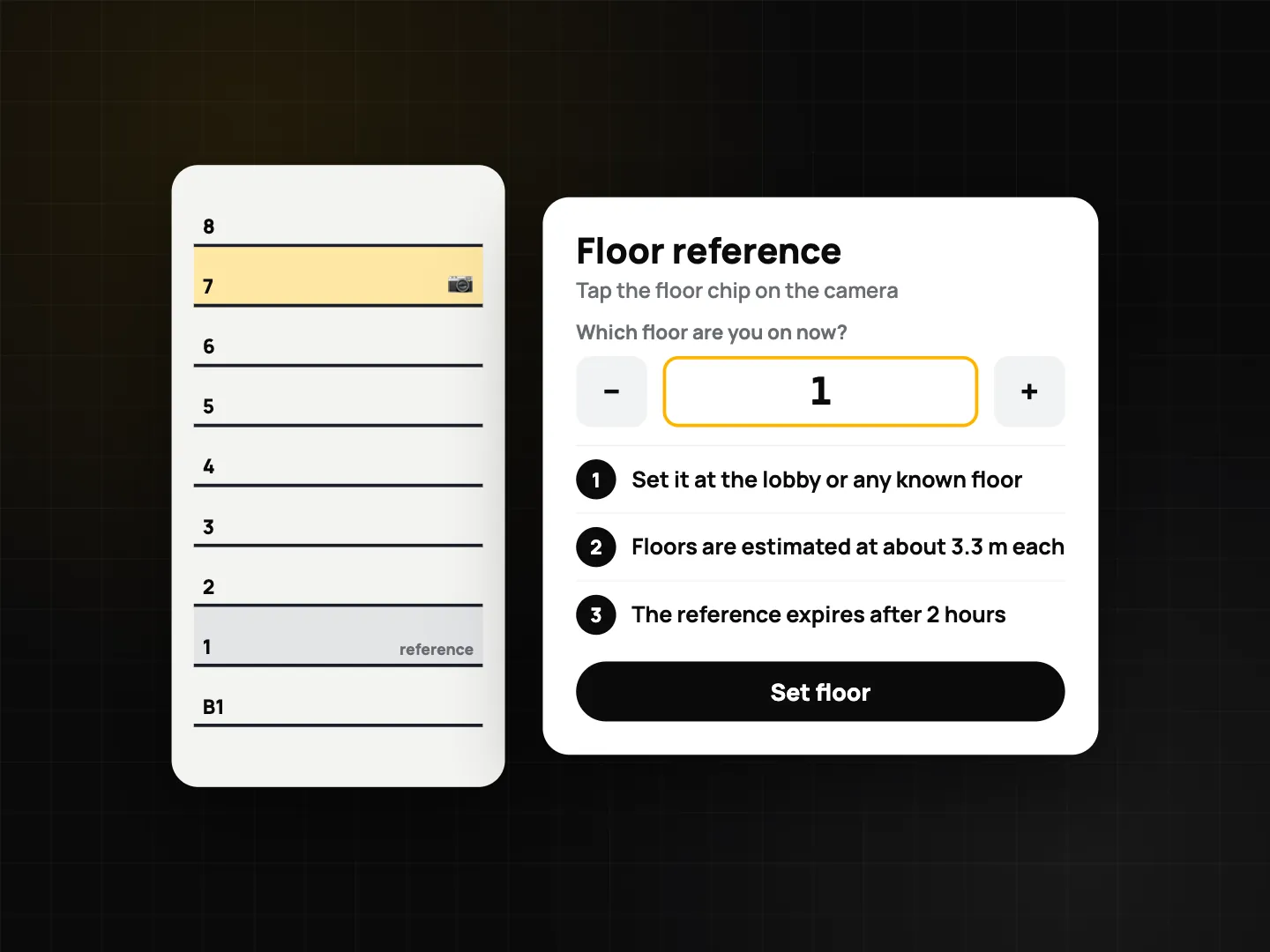
- In the camera, tap the chip Set floor (it shows Floor ~N once a reference is set).
- In the Floor reference dialog, enter the floor you are on right now, for example 1 in the lobby, or the floor number printed by the lift.
- Take photos as you move through the building. The chip and the stamp update as you go up or down.
The reference expires after 2 hours. Air pressure changes with the weather during the day, and after a couple of hours the drift can be larger than one storey. When it expires, set it again at a floor you know.
Barometer calibration tips
- Calibrate where you know the floor for sure: the lobby, a lift landing, a stair sign.
- Recalibrate after a long break or when you move to a different building.
- Wait a moment after lift doors open. Lifts and doors cause pressure jumps; the 2-second smoothing helps, but a short pause helps more.
- Avoid calibrating in stairwells with strong wind or right in front of air-conditioning outlets.
Phone barometer vs GPS altitude: two different lines
There are two height-related lines in ProofCam, and they come from different sensors:
- Altitude is a free template toggle. It prints the GPS altitude, the height the satellite fix reports. It is not taken from the barometer, and indoors it can be off by many metres.
- Floor (barometer) is a Plus template toggle. It prints the floor estimated from pressure changes since your reference.
If you need "which floor", use the floor line. If you need an approximate height above sea level outdoors, use the altitude line. Don't read the altitude line inside a building as a floor indicator.
The barometer also plays a part behind the scenes: ProofCam compares GPS altitude with the barometric reading as one of its checks on whether a location looks genuine. That's described in fake GPS and mock location detection and in GPS address, accuracy and location trust grade.
What is saved with the photo
The floor on the stamp is the visible part. With every photo that uses the floor line, ProofCam also saves the air pressure, the relative height since the reference and the estimated floor in the photo's evidence data. If someone questions the floor later, the raw values are there to check, and the stamp, time and Photo Code still verify the usual way.
Which phones support it
The floor line needs a pressure sensor:
- Android: phones with a barometer. Many budget Android phones don't have one; on those, the floor chip is simply hidden.
- iPhone: models with the built-in altimeter (barometer).
If a crew uses mixed phones, check each model once by turning on Floor (barometer) and looking for the chip in the camera.
Where floor levels help
- Building maintenance: work orders for leaks, lights and fire doors in a tower, where the floor is the first thing the next technician needs. See the building maintenance work order guide.
- Construction: progress and snag photos on each level of a frame, alongside the construction daily report.
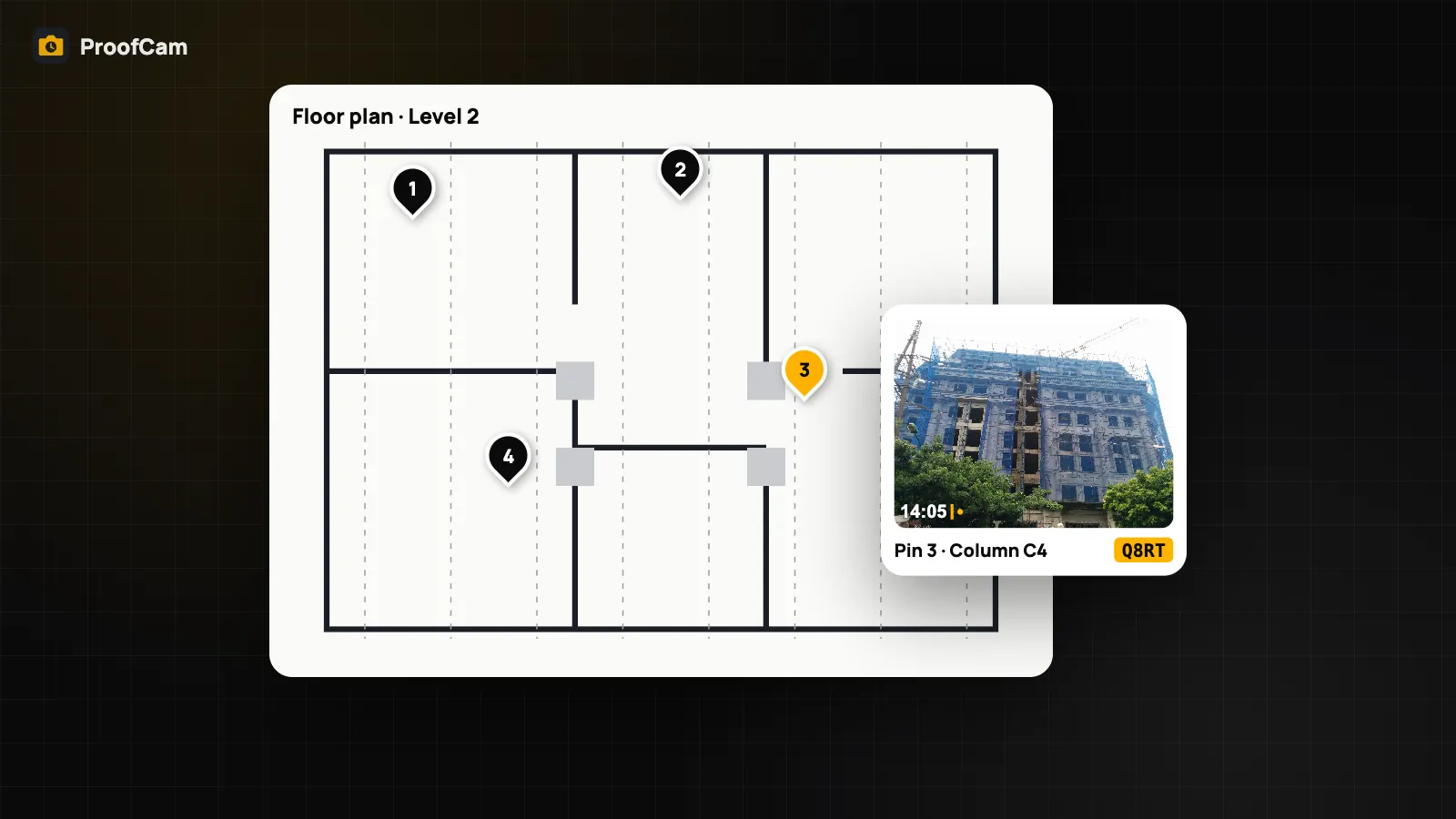
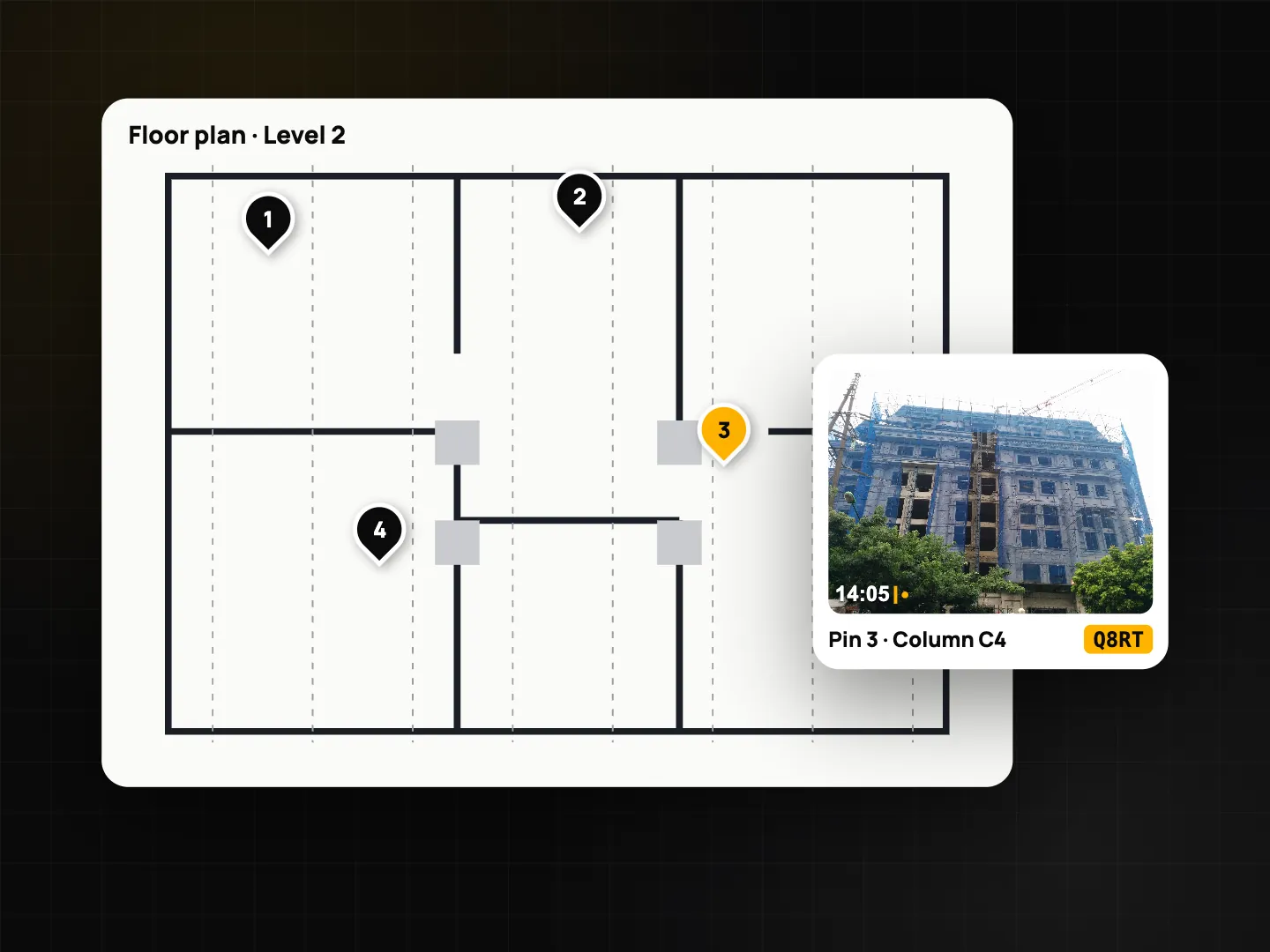
- Floor plans: for exact positions, pin the photo on the floor's plan drawing. Floor plans are a Business feature described in the construction photo documentation guide; the barometer floor tells you which plan to open.
Honest limits
- It is an estimate. That's why it reads "~" and "(±1)".
- Storey height is fixed at about 3.3 m; unusual floor heights add error.
- Air-conditioning, lift doors, stairwell wind and weather changes all move the pressure.
- It does not tell you the room or the wing, only the level.
- No reference, no floor: if the reference has expired, set it again.
Which plan and platforms
| Feature | Android | iPhone | Plan |
|---|---|---|---|
| Floor (barometer) line, Floor reference | Phones with a barometer | iPhones with the altimeter | Plus |
| Altitude line (GPS) | Yes | Yes | Free |
| Pressure, relative height and floor in evidence data | Yes | Yes | With the floor line |
FAQ
Why does the stamp say "~" and "(±1)"?
The floor is estimated from pressure change and an assumed 3.3 m storey height. ProofCam always shows the margin so nobody reads it as an exact measurement.
Why did my floor reading disappear after lunch?
The floor reference expires after 2 hours, because air pressure drifts with the weather. Set the reference again at a floor you know.
Is the Altitude line on my photo from the barometer?
No. The Altitude line uses GPS altitude. Only the Floor (barometer) line uses the pressure sensor.
My phone doesn't show the floor chip. Why?
It probably has no pressure sensor. Many budget Android phones don't. The rest of the stamp works as normal.
Related: UTM and MGRS coordinates on photos and the Teamspace web portal for managers.