A photo of an air-conditioning unit tells you what it looks like. It doesn't tell you that the filter was replaced, which unit number it is, or that the customer asked for a follow-up next month. Three weeks later, nobody remembers, and the office is scrolling through 400 identical-looking photos.
ProofCam lets you add notes to photos right in the camera, by typing or by speaking, and prints them on the stamp next to the time and place. Tags and custom fields add structure, for example a job number or a contractor name. All of it travels with the photo into reports and makes it easy to find later.
Three ways to describe a photo
ProofCam has three tools for this, and they do different jobs:
| Tool | What it is for | Where you set it |
|---|---|---|
| Note | Free text for this photo or this job: "Filter replaced, unit 3B" | Camera Notes sheet |
| Tags | Short labels you reuse: "Before", "Leak", "Warranty" | Watermark template |
| Custom fields | Label and value pairs: "Contractor: ABC", "Job no.: 1182" | Watermark template |
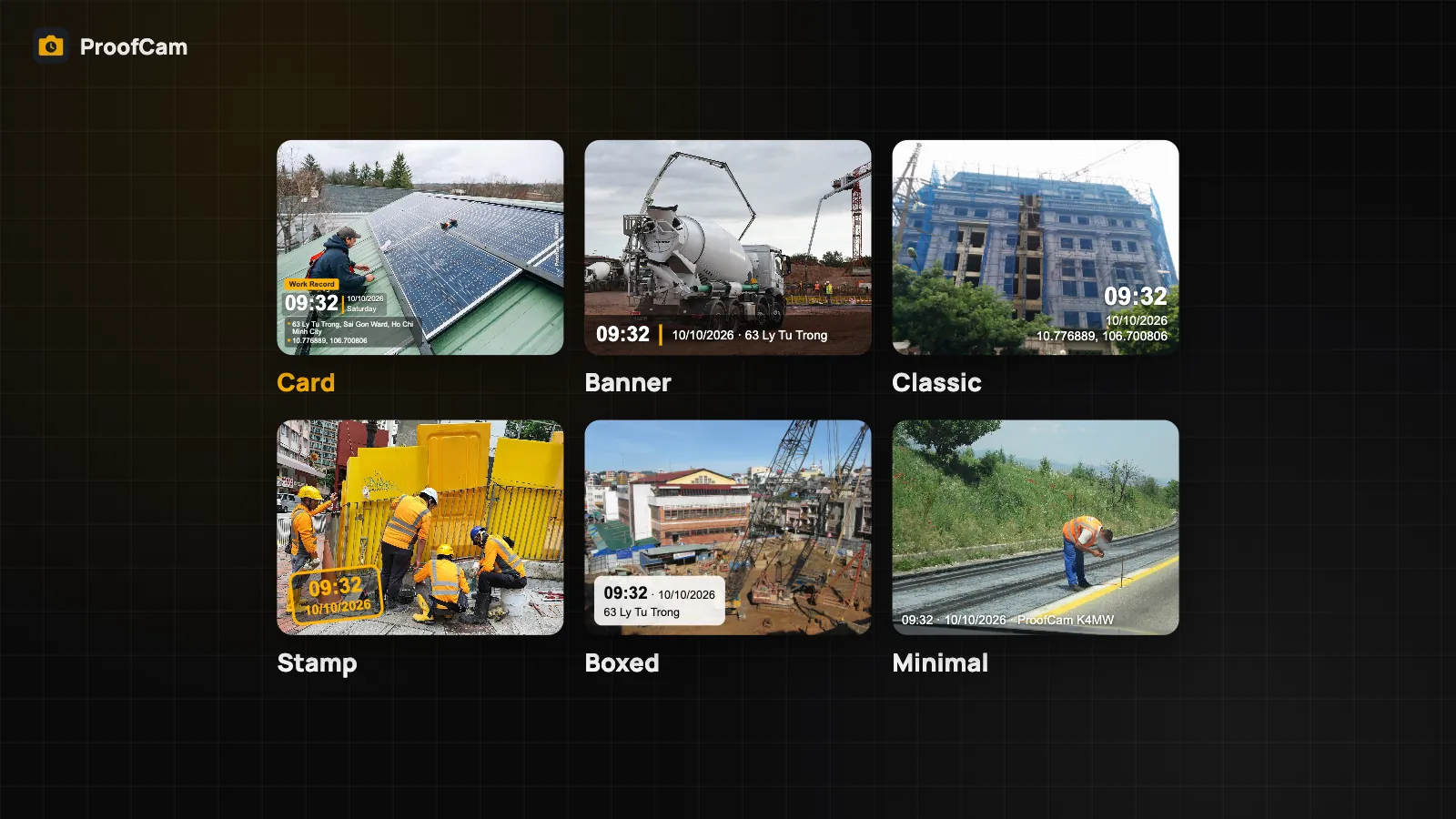
All three are printed on the stamp, so they are visible to anyone who sees the photo. How the stamp looks, and which other fields it shows, is covered in watermark templates, styles and custom fields.
Add notes to photos in the camera
- In the camera, open the Notes sheet.
- Type in the box ("Type a note to stamp on the photo"), or pick one from Recent.
- Close the sheet and shoot. The note is stamped on every photo until you change it.
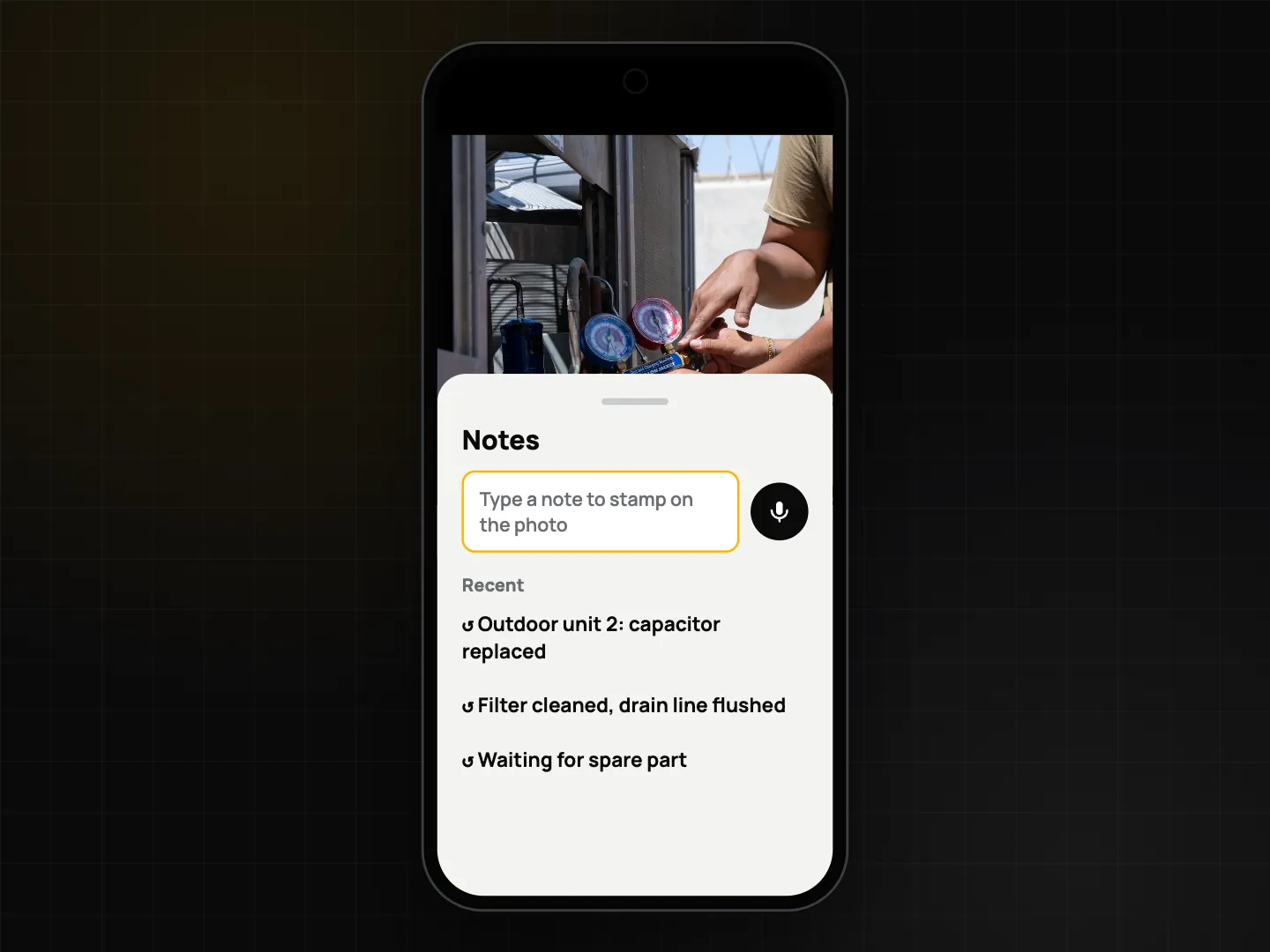
Because the note stays set, you can type "Unit 3B" once and take ten photos of that unit. Change it when you move to the next one.
Note history: on Free, the 5 most recent notes are kept. Plus keeps an unlimited history, with pinning for notes you use every day and search to find an old one.
Voice to text photo notes
Typing on a ladder with gloves on doesn't work. Dictation is free on both platforms, but it works a little differently on each.
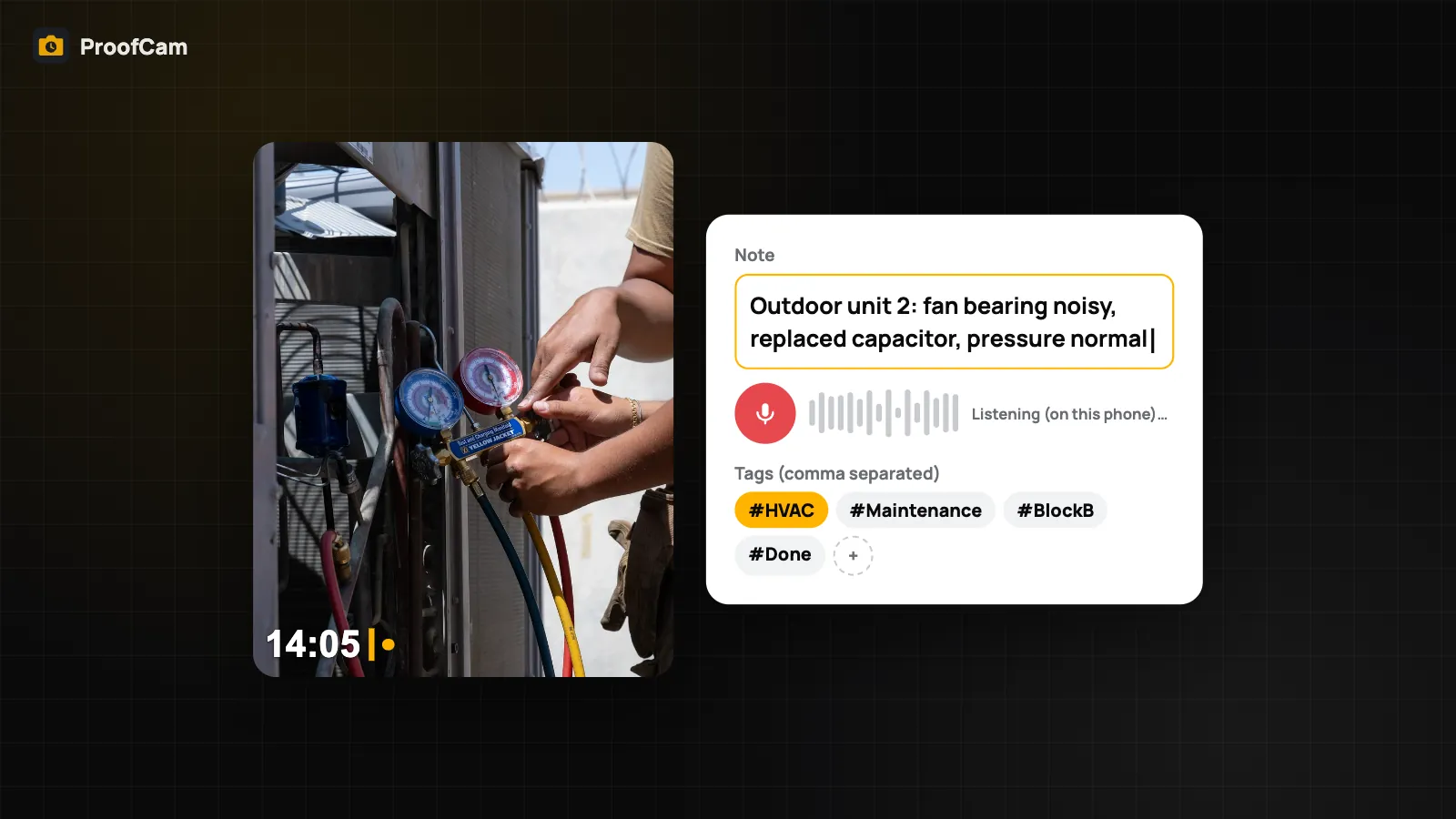
Android: tap the mic button in the camera's Notes sheet and speak. The text becomes the note stamped on the photo. While you talk, the app shows whether the speech is handled on the phone ("Listening (on this phone)…"). On Android 13 and later, when the phone supports on-device recognition, everything stays on the phone. On other phones, ProofCam prefers offline recognition but may use the network, and the screen tells you which one is in use.
iPhone: dictation is done after capture. Open the photo, go to Field tools and choose Dictate note (on device). The text is added to the photo's notes, not printed on the stamp. It runs on the device only, and if the language model for your language isn't installed, the app tells you.
Offline dictation in a given language depends on the phone having that language pack. ProofCam does not transcribe voice on its servers.
Photo tags and custom fields
Tags live in the watermark template, in Tags (comma separated). Type "Before, Leak" and both tags are printed on every photo taken with that template. Some ready-made presets already include a tag such as "Before". There is no separate tag manager: you edit tags in the template.
Custom fields are label and value pairs, also in the template under Custom fields:
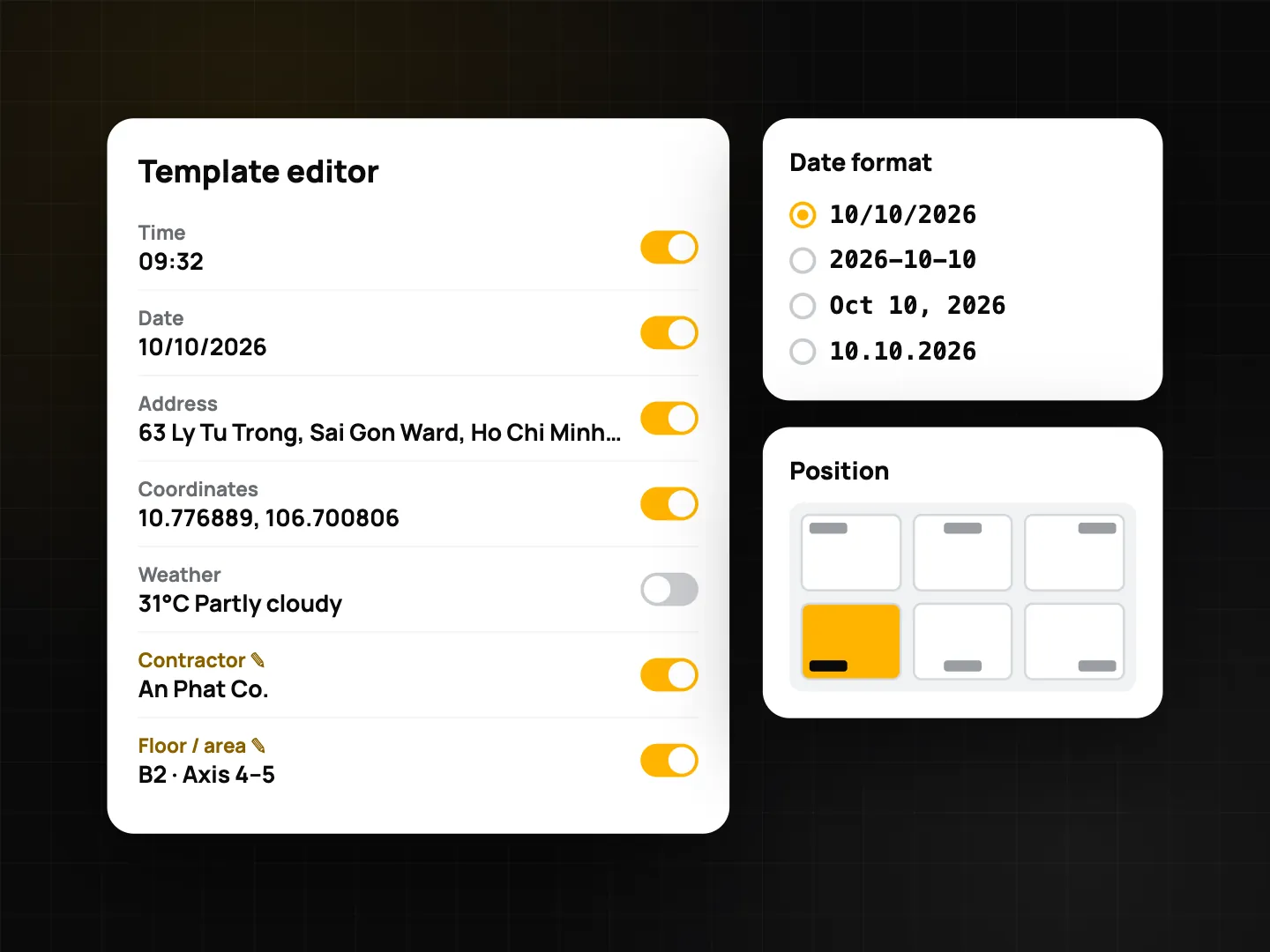
- Free: up to 3 custom fields. Plus: up to 10.
- Each one is printed on the stamp, for example "Contractor: ABC" or "Line: 2".
- They can be used in file names when exporting to a folder, as
{f1}to{f10}, so files come out named by job or line.
A simple pattern: one template per client or line, with the client name in a custom field and a few tags, and the note for what is unique about each photo.
Find photos later by note and tag
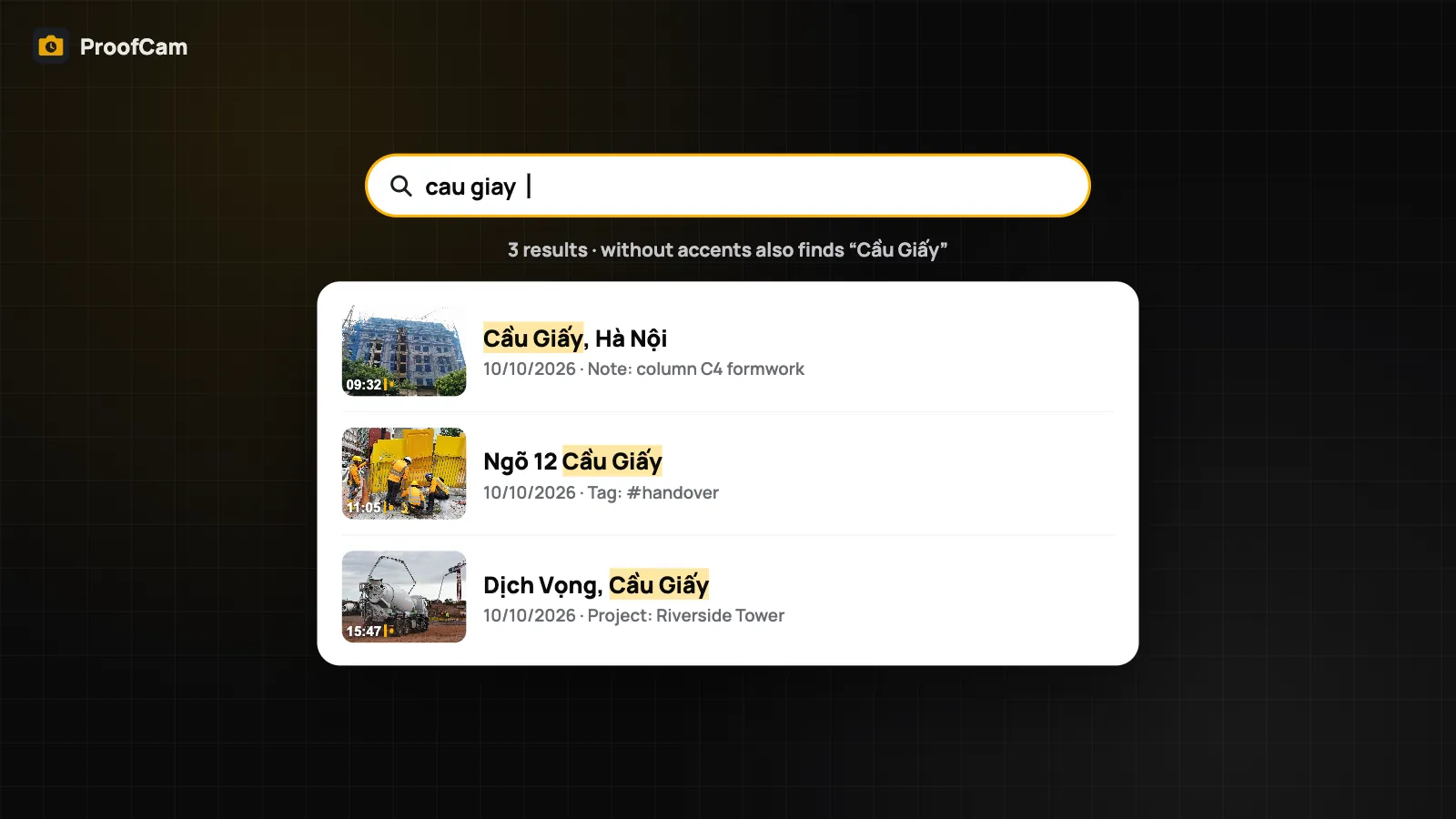
Notes and tags are not just printed; they are indexed. They show up in exported PDF reports, Excel sheets, the CSV inside ZIP exports and KMZ files for Google Earth. In the gallery, search finds them, including address, project and Photo Code. See search job photos for how search handles typos and accents, and export geotagged photos for the report formats.
Edit a note after you shoot
Forgot to change the note before the photo? With Plus, open the photo and use Edit watermark to change the note and tags afterwards. The time and location can never be edited, on any plan. That is what keeps the photo trustworthy: the description can be corrected, the facts of when and where cannot.
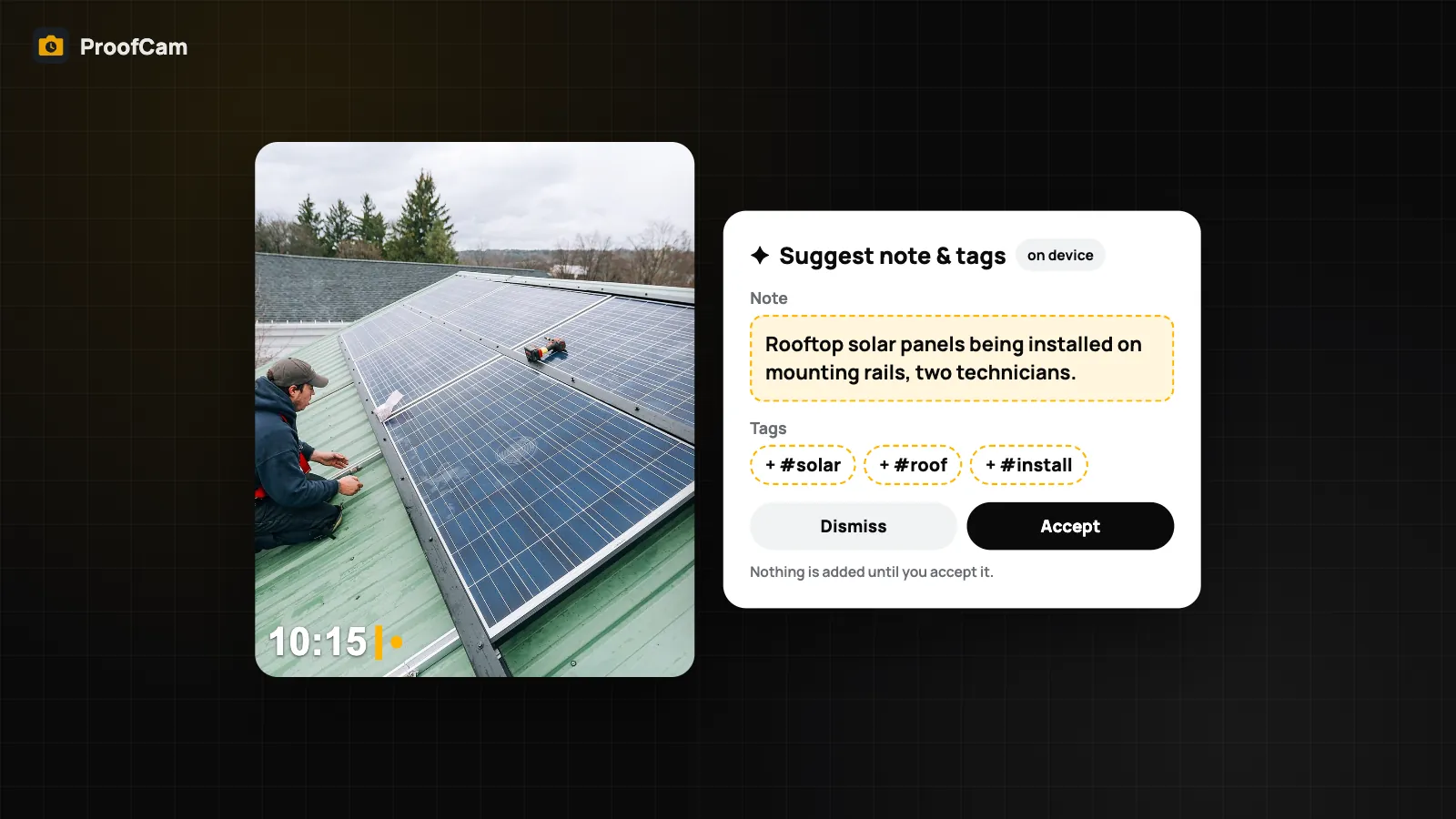
The same screen can also suggest a note and tags from the photo itself, on the device (Plus on Android; on iPhone it needs Apple Intelligence). See on-device AI photo captions.
Field examples
- HVAC, plumbing and electrical techs: note the unit or circuit, tag "Before" and "After", and put the job number in a custom field. More in HVAC, plumbing and electrical job photos.
- Factory inspections: a custom field for the line and machine ID, tags for "5S", "Safety" or "Defect", and the finding in the note. See equipment inspection and 5S audits.
Which plan and platforms?
| Feature | Free | Plus |
|---|---|---|
| Note on the stamp | Yes | Yes |
| Note history | 5 most recent | Unlimited, with pin and search |
| Tags on the stamp | Yes | Yes |
| Custom fields | 3 | 10 |
| Edit note and tags after capture | No | Yes |
| Voice dictation | Yes | Yes |
Dictation works on Android (in the camera, stamped on the photo) and iPhone (from photo detail, added to the photo's notes).
FAQ
Does dictation send my voice to ProofCam?
No. ProofCam does not transcribe voice on its servers. On iPhone and on Android 13+ with on-device recognition, it stays on the phone; on other Android phones the system recogniser may use the network, and the app shows which.
Can I change a note after taking the photo?
Yes, with Plus, through Edit watermark. Time and location cannot be changed on any plan.
What is the difference between tags and custom fields?
Tags are short labels in one comma-separated list. Custom fields are label and value pairs, like "Contractor: ABC", and can also be used in exported file names.
Can I dictate in Vietnamese without internet?
It depends on whether your phone has the Vietnamese language pack for on-device recognition. The app shows when it is listening on the phone or tells you if the language model is missing.
Related: watermark templates and custom fields and search job photos fast.