A photo without a note is half a record. Six months later, "IMG_4821" with a stamp tells you when and where, but not that it shows the corroded valve on the cooling loop. Field crews know they should write notes; on a ladder with gloves on, they mostly don't.
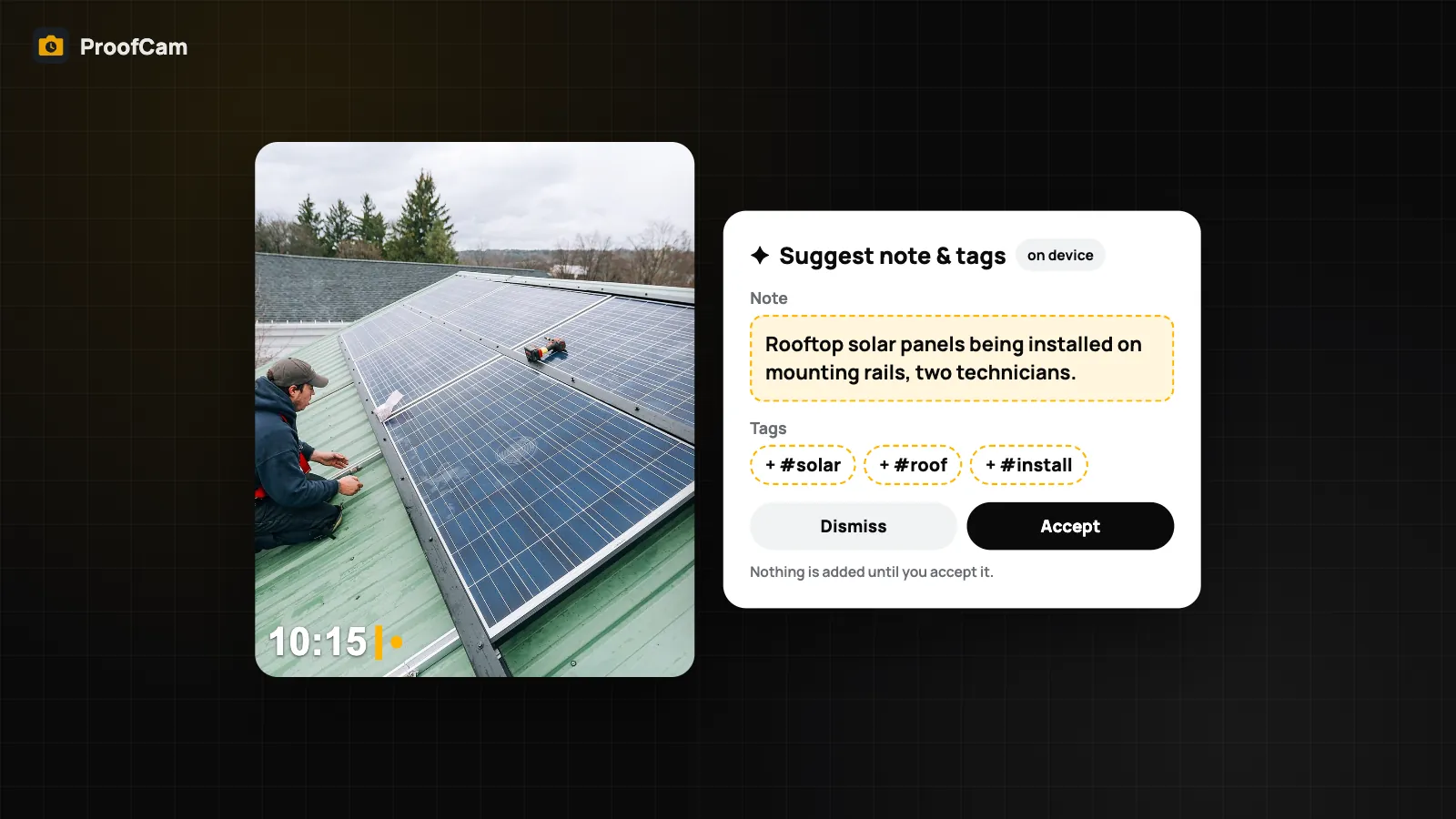
ProofCam can suggest a note and tags for a photo, and draft a short summary for a report, using on-device AI: the model runs on your phone, so the photo is not uploaded to ProofCam or anyone else for this. Nothing is changed until you accept it. This guide explains what on-device AI photo captions can do in ProofCam, which phones run which engine, and where the limits are.
What the AI does (and doesn't)
There are three places where ProofCam uses on-device AI:
- Suggest note and tags for a photo you already took.
- Summarise a report in the Report builder, as a starting paragraph for the cover note.
- Summarise a walkthrough, the Plus tool where you talk while walking the site and ProofCam matches your words to the photos.
What it doesn't do: there is no server-side AI in ProofCam. No AI search in the cloud, no server transcription of voice notes, and no AI summary on the Teamspace daily report. Everything described here runs on the phone.
Suggest note and tags on Android
After capture, open a photo and go to Edit watermark, then tap Suggest note & tags. ProofCam proposes a short note and a few tags. Read them, change what's wrong, and tap Accept to apply them. If you don't accept, nothing on the photo changes.
Android picks the best engine available on the phone:
- Gemini Nano through ML Kit's on-device generative AI, but only if the phone already has the model ready. That is mostly recent flagship phones. ProofCam never downloads the model itself.
- Otherwise, a rule-based fallback that combines ML Kit image labelling with text recognition (OCR). It works on every Android phone; it's simpler, but it can pick up things like printed labels and serial numbers in the frame.
The screen tells you which one ran: On-device AI (Gemini Nano) or On-device suggestions (no AI model on this phone). Suggestions are written in Vietnamese if the app is set to Vietnamese, otherwise in English.
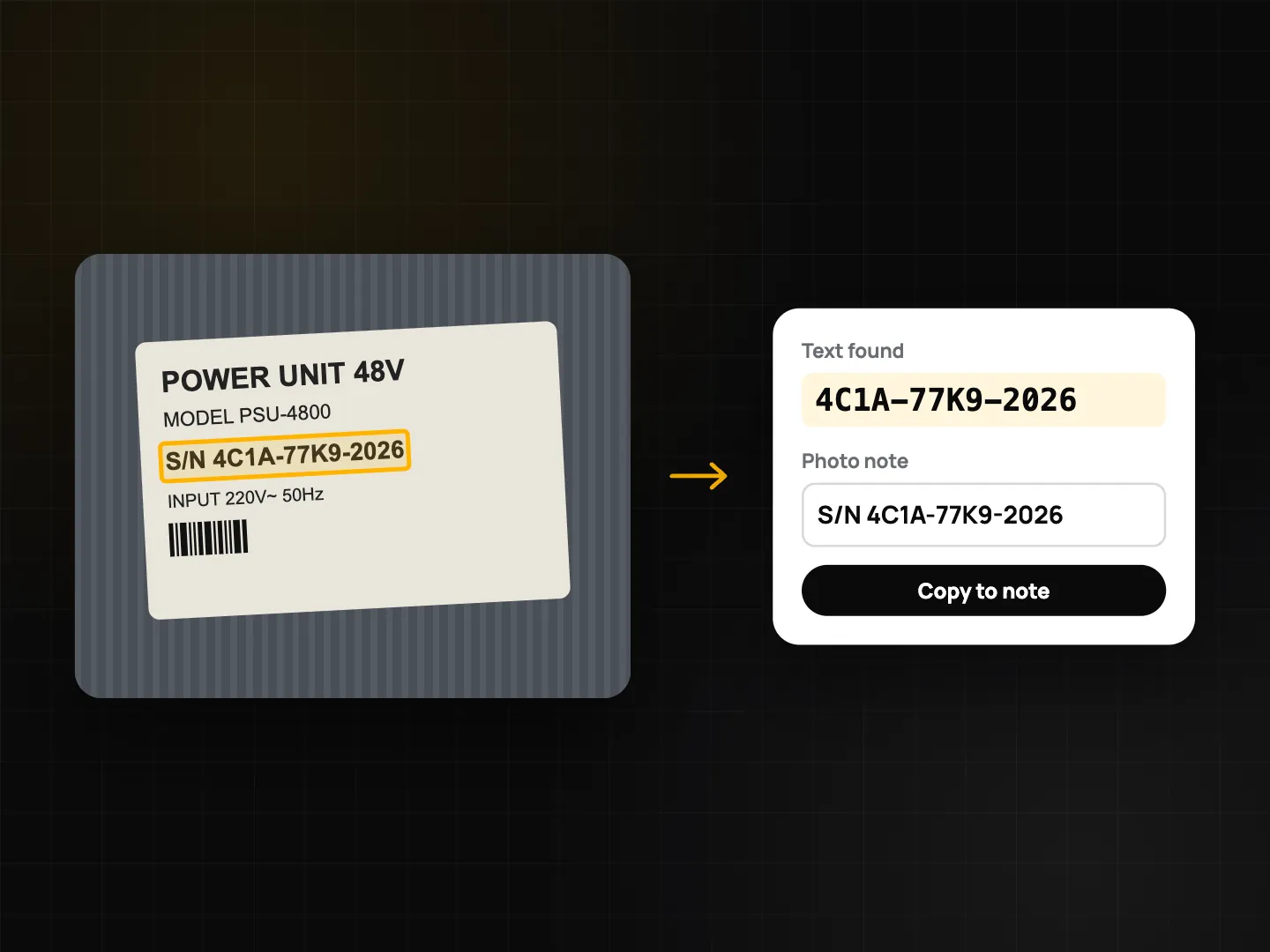
On Android, these features need Plus. Editing the watermark after capture is a Plus feature too, and that's where suggestions live.
Suggestions on iPhone
On iPhone, ProofCam uses Apple Intelligence (Apple's Foundation Models), which needs iOS 26, a device that supports Apple Intelligence, and Apple Intelligence turned on.
- In Edit watermark, tap Suggest to get a note and tags.
- PDF export and Walkthrough can add a summary paragraph.
- The setting is under Settings → Advanced → Note & tag suggestions.
There is no rule-based fallback on iPhone. If the phone can't run Apple Intelligence, the button is hidden and the app explains why, for example "This device doesn't support Apple Intelligence" or "Turn on Apple Intelligence in Settings to use suggestions." On iPhone, whether you can use suggestions depends on Apple Intelligence support rather than on a ProofCam plan. The same on-device model also powers natural-language photo search on iPhone.
AI report summaries
Reports are where a good first paragraph saves time. In the Report builder on Android, AI summary drafts a few sentences and adds them to the cover note. On iPhone, the summary paragraph appears in PDF export when Apple Intelligence is available.
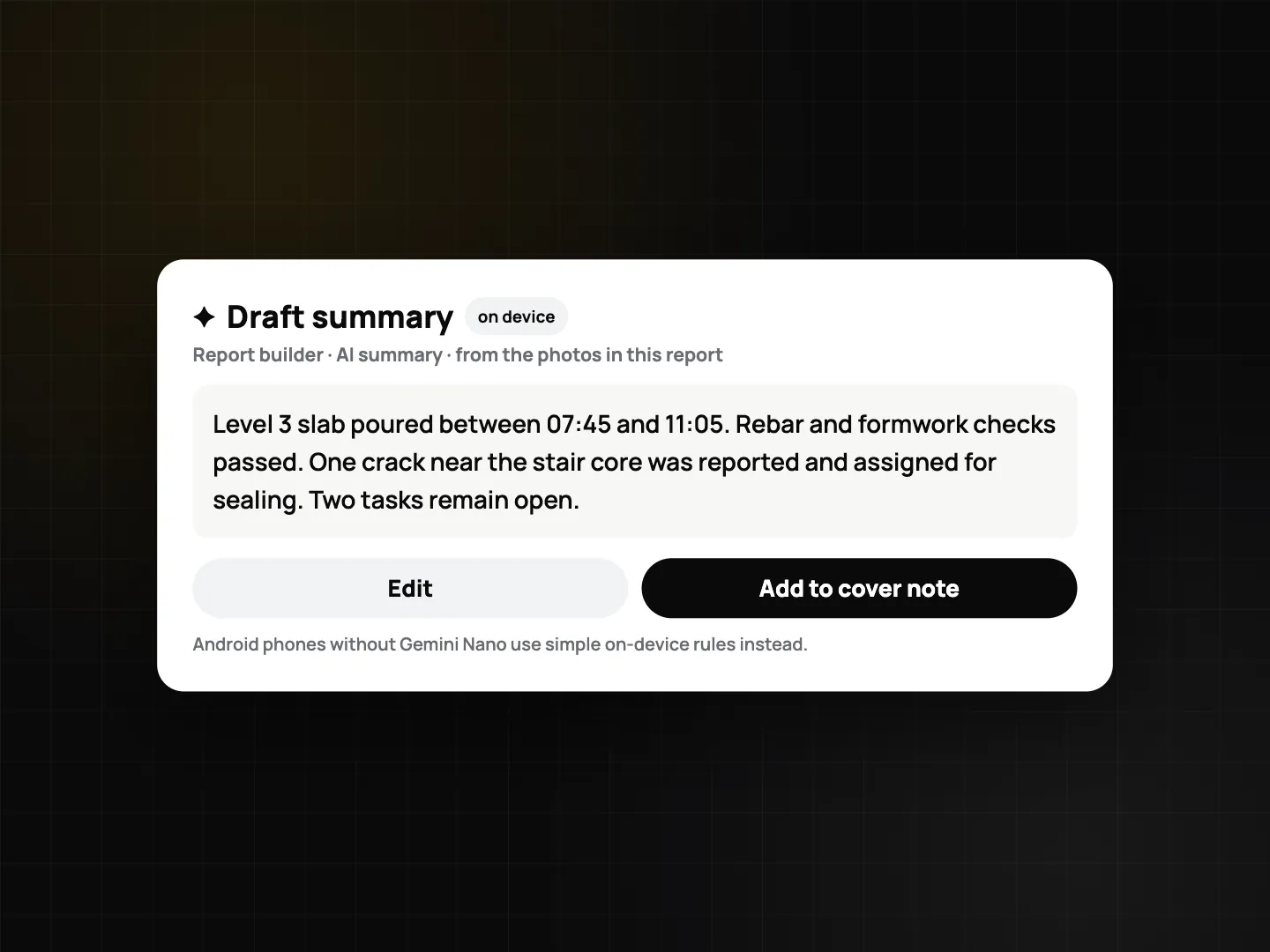
Treat the summary as a draft. Read it against the photos before you send the report, especially numbers, locations and anything that could be read as a conclusion about cause or fault. More on building the report itself in inspection checklists and PDF reports.
Private by design: no cloud
All of this runs on the device. ProofCam makes no network calls for suggestions or summaries, and the photos are not sent to ProofCam or third parties for AI processing. That matters when photos show customers' homes, faces, documents or equipment that clients consider confidential. It also means suggestions work in a basement with no signal.
The text recognition used by the Android fallback is the same on-device OCR described in document scanning with on-device OCR. For the wider picture on what stays on the phone, see privacy, app lock and Content Credentials.
Accuracy: what to expect
We don't publish accuracy figures, and you shouldn't assume any. AI suggestions can miss the point of a photo, misread a label, or describe the obvious object instead of the defect you meant. That's why ProofCam only ever suggests:
- You see the suggestion first.
- You edit or dismiss it.
- Only Accept writes it to the photo.
The time, location and Photo Code on the stamp are never touched by AI and can never be edited.
Where it helps
- HVAC, plumbing and electrical technicians: a suggested note to start from, fixed or accepted in a few taps instead of typed with cold fingers. See job photos for HVAC, plumbing and electrical.
- Construction: a first draft of the summary for a weekly photo report, checked by the engineer before it goes to the client. See the construction daily report guide.
Which plan and platforms
| Feature | Android | iPhone | Plan |
|---|---|---|---|
| Suggest note & tags | Gemini Nano if ready, otherwise rule-based fallback on every phone | Apple Intelligence on iOS 26, supported devices only | Android: Plus. iPhone: depends on Apple Intelligence support |
| AI summary in reports | Report builder, Walkthrough | PDF export, Walkthrough | Same as above |
| Runs on the phone, no upload | Yes | Yes | — |
Suggestions and AI summaries are not available in the Teamspace web portal.
FAQ
Are my photos uploaded to an AI service?
No. Suggestions and summaries run entirely on the phone. Nothing is sent to ProofCam or third parties for this.
Why don't I see the Suggest button on my iPhone?
It needs iOS 26, a device that supports Apple Intelligence, and Apple Intelligence turned on. Without them the button is hidden and the app shows the reason.
Does ProofCam download an AI model to my Android phone?
No. It uses Gemini Nano only if the phone already has it ready. Otherwise it uses the rule-based fallback, which works on every phone.
Can the AI change the time or location on a photo?
No. It only suggests a note and tags, and only after you accept. Time and location can never be edited.
Related: change watermark language and translate notes and field team collaboration with photo comments.