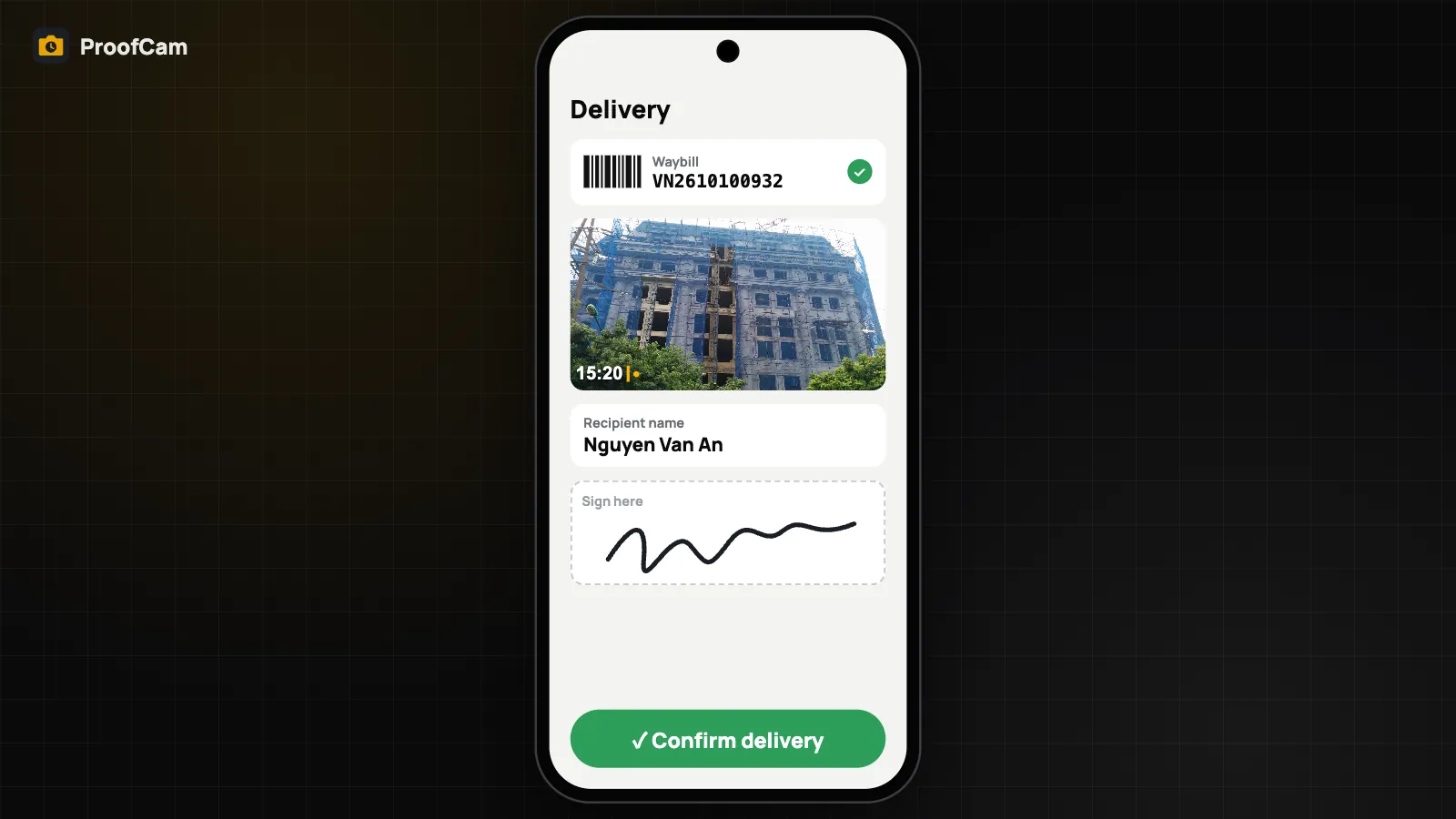
"I never got it" is the most expensive sentence in delivery. A driver's word against a customer's rarely settles anything. ProofCam's Delivery mode records each drop-off as a waybill number, stamped photos, the recipient's name and signature, and a link the customer can open to see the proof.
Proof of delivery (POD) is a Business add-on for Teamspace teams and is included during the 14-day Business trial.
The delivery flow, step by step
The flow is built for one hand and a few taps per stop:
- Scan the waybill. Point the camera at the barcode or QR on the label. The reference code fills in automatically, or type it.
- Photograph the goods. One tap per photo. Each photo carries the ProofCam stamp (time, GPS position, address, Photo Code) with a title line "Delivery:
" . - Recipient details. Enter the recipient's name. The phone number is optional.
- Signature. The recipient signs on the screen.
- Confirm. The delivery is saved and the share sheet opens with the proof link.
If the drop-off doesn't go to plan, mark it failed or partial and enter a reason instead.
The proof page: /p/ link
Every delivery gets its own link in the form /p/<token>. The token is a random 22-character string generated on the phone, so links can't be guessed from the waybill number. Send it to the customer by chat, SMS or email.
Anyone with the link sees:
- the status (Delivered, Delivery failed or Partially delivered) and the waybill number,
- the recipient's name and the signing time,
- the photos with their time, place and a verify badge for each Photo Code,
- the place on a map,
- the recipient's signature and whether it matches the record.
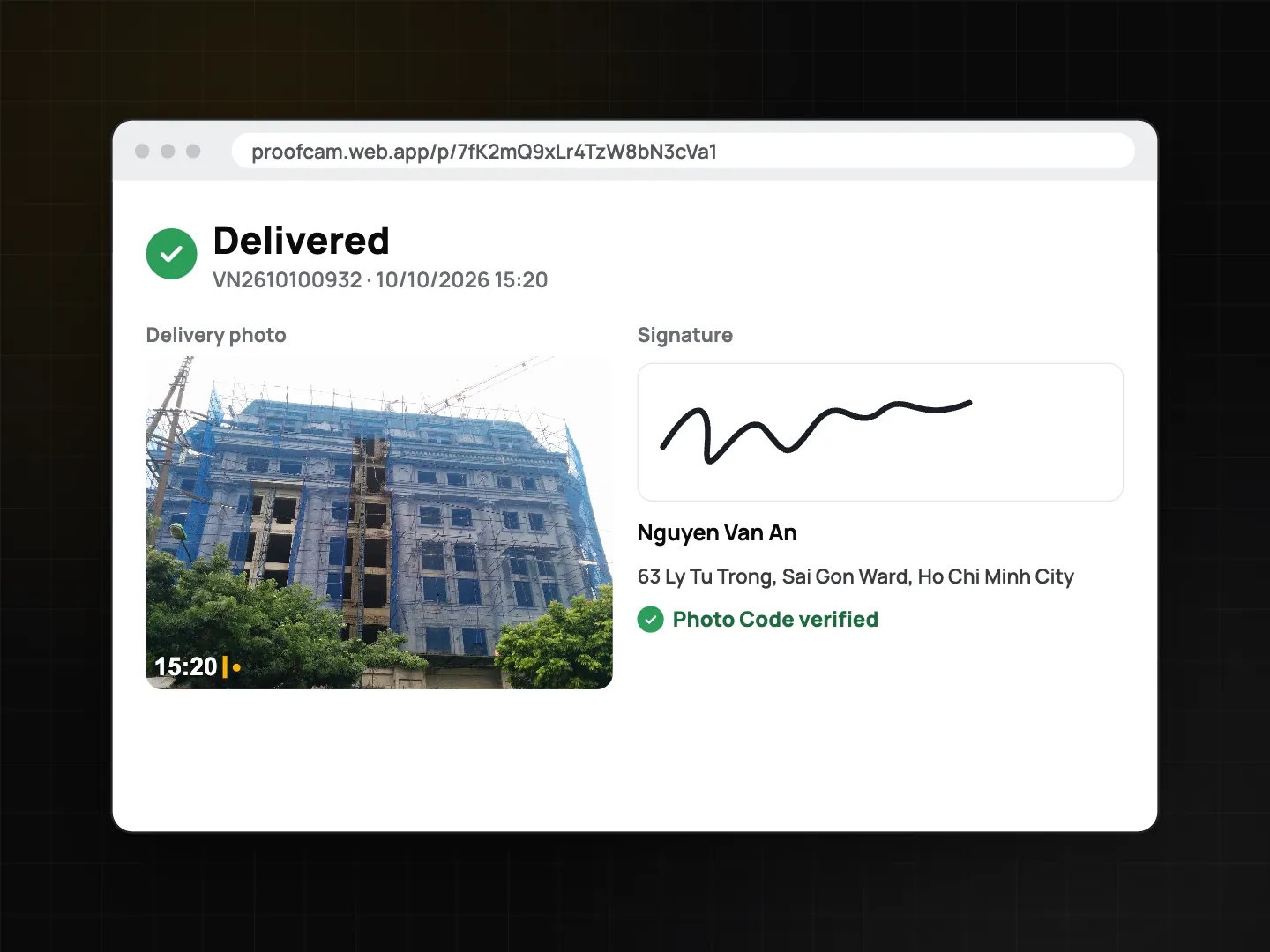
The sender can disable a link; the page then says it's no longer available.
Privacy: the phone number is hashed
If you enter the recipient's phone number, ProofCam normalises it and stores only a SHA-256 hash of it, not the number itself. The hash lets your team match a delivery to a known phone number later, without keeping a readable list of customers' numbers. The recipient's name, photos and signature are stored with the delivery, and the /p/ page is viewable by anyone who has the link, so share it only with the people involved.
Works without signal
Drivers spend a lot of time in lifts, basements and rural roads. POD is built offline-first:
- The whole flow, including the signature, works with no connection.
- The delivery is saved on the phone and marked Waiting to sync.
- When the phone is online, ProofCam uploads the photos, then the signature, then the delivery record, and the status changes to Synced.
The /p/ link is created on the phone, so you can share it right away. It shows the delivery once the upload finishes.
For dispatchers: the Deliveries page
In the Teamspace web portal, Deliveries lists every drop-off with search by waybill and filters by date, status and project. Open one to see photos, signature and the public link, and export the list to CSV or Excel. A delivery.completed webhook can notify your own system.
Tips
- Photograph the parcel with the door number or shop sign in frame. The stamp shows when and where; the frame shows what.
- Take a second photo of any visible damage before handing over.
- Ask the recipient to sign with a finger, slowly. A stylus isn't needed.
- Keep team upload on so deliveries sync whenever there's signal.
Platforms and plan
Delivery mode works on Android and iPhone. It needs a Business team with the POD add-on, or a team in its trial. The proof page opens in any browser, with no app or account needed for the customer.
FAQ
Does the customer need to install anything?
No. The /p/ link opens in any browser.
What if the recipient refuses to give a phone number?
That's fine. The phone number is optional. The name and signature are required for a completed delivery.
Can a driver share the link while offline?
Yes. The link is generated on the phone. It shows the delivery once the phone has synced it.
Is this a legal signature?
ProofCam records a signature image together with time, place and stamped photos, which helps provide evidence of the handover. Whether it meets a particular legal requirement depends on your contracts and local rules.
Related: Photo Code: verify original photos and offline photo proof without internet.