A photo of finished work is only useful if people believe it. "When was this taken?" and "Was it really at the site?" are the two questions every manager, client and inspector asks. ProofCam is a timestamp camera built for that moment: each photo is stamped with the time, date, GPS position and street address at the instant you press the shutter, and it gets a unique Photo Code that anyone can check later.
It is made for field work: construction and solar sites, security patrols, deliveries, cleaning crews, telecom technicians, maintenance and inspections. You can open the app and take your first stamped photo without creating an account.
What goes on every photo
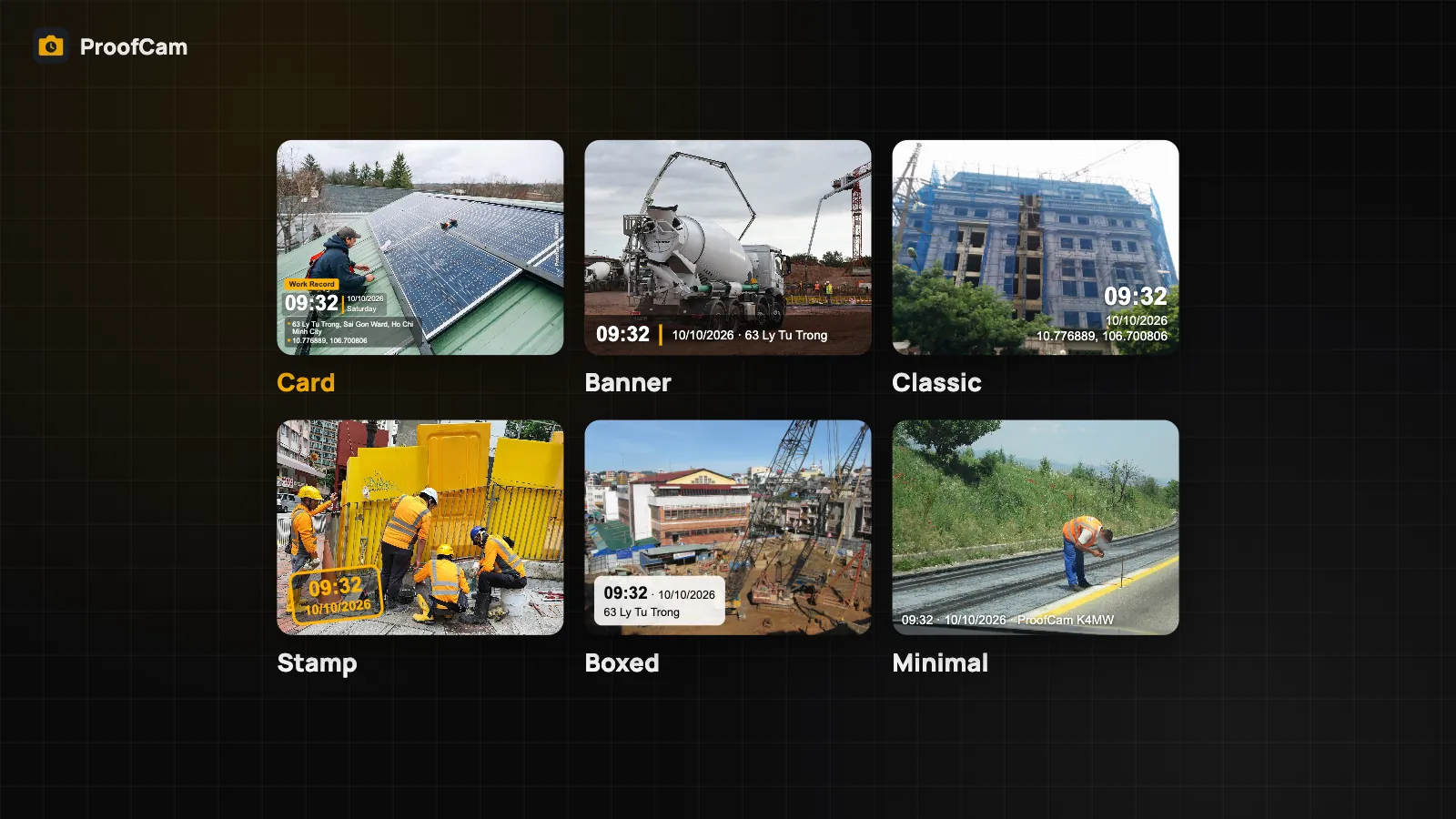
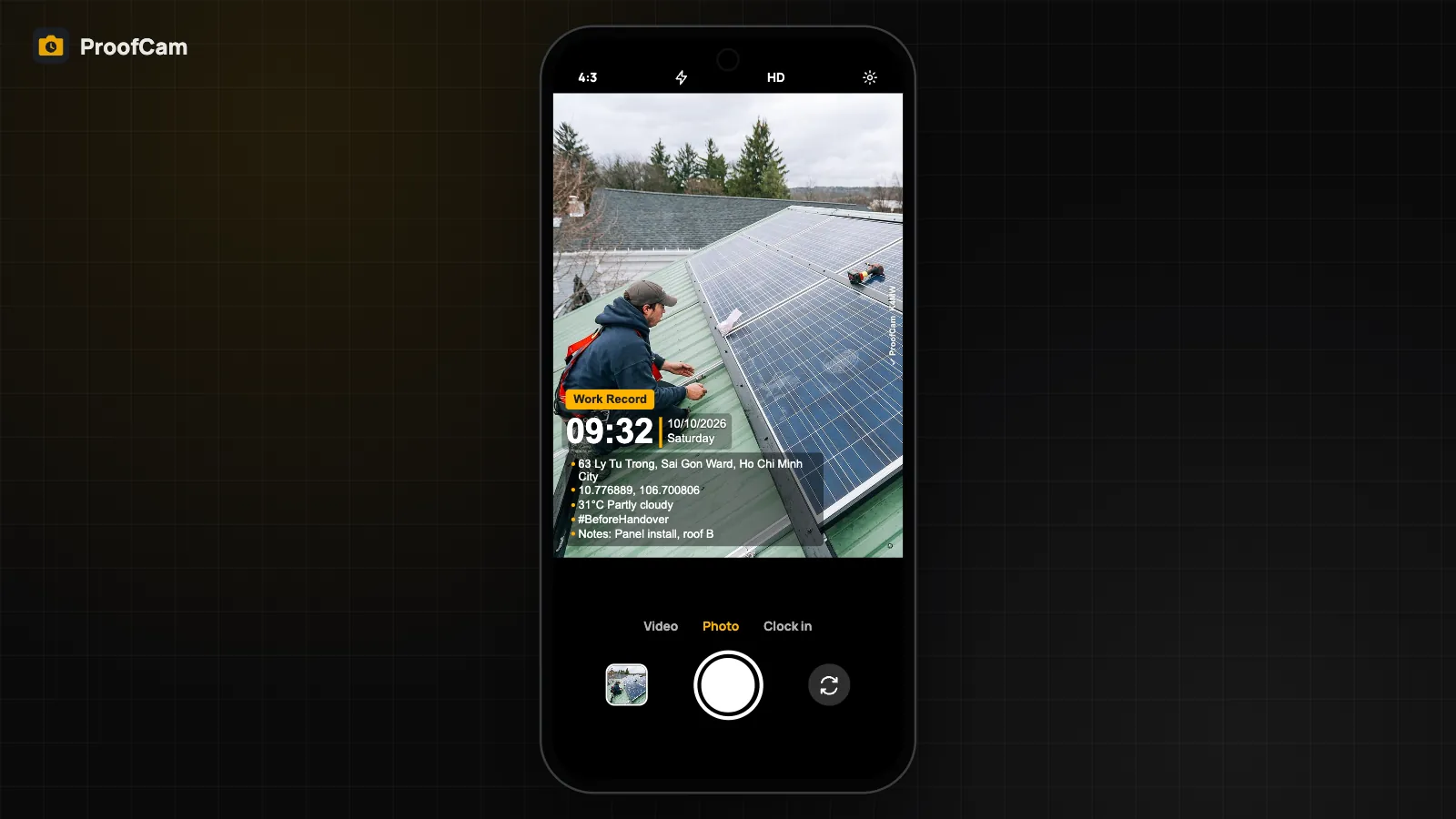
The stamp (we call it a watermark) is drawn onto the image itself, so it stays with the photo wherever it is sent. A typical stamp shows:
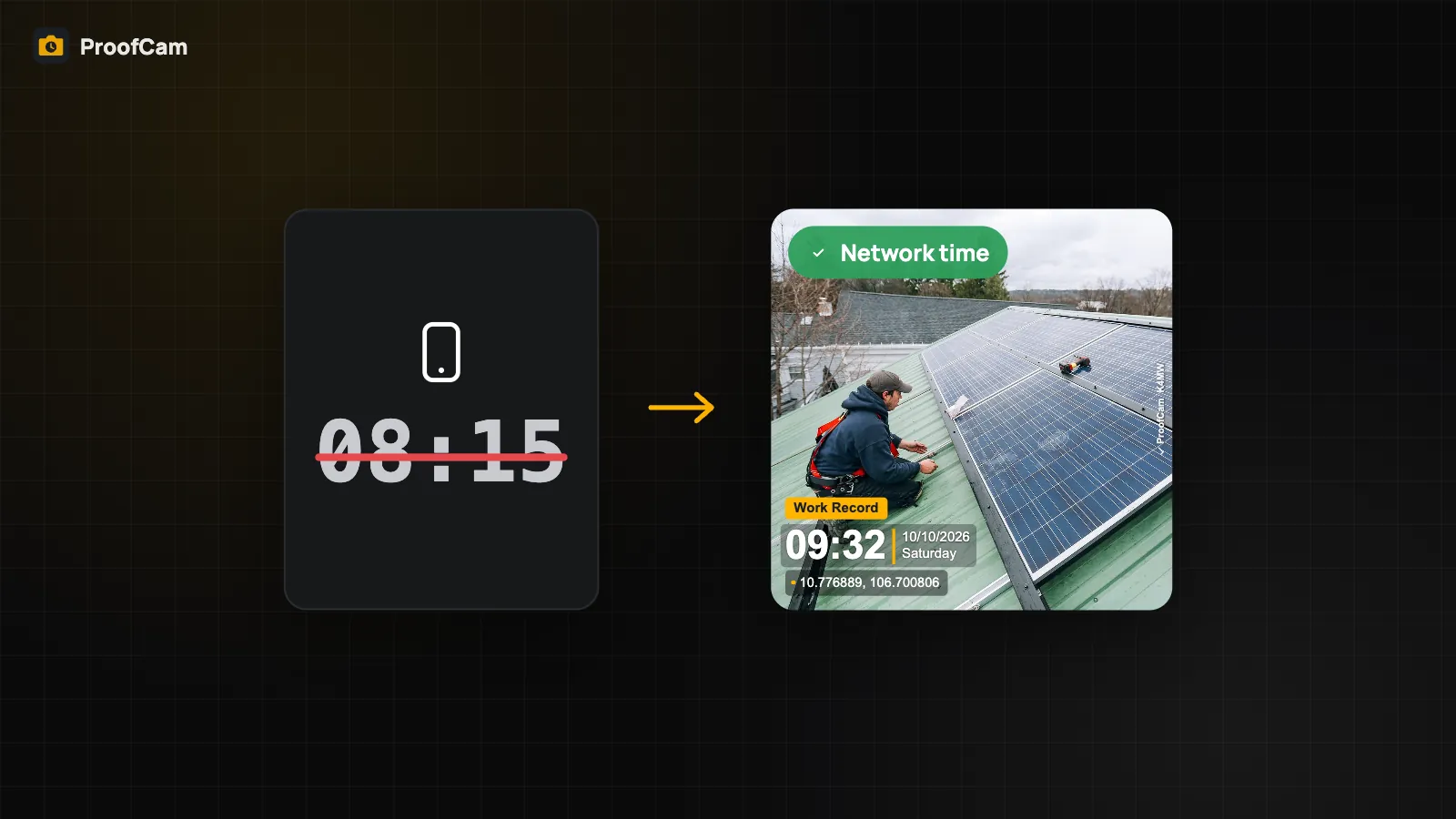
- Time and date, including the weekday, taken from network time rather than the phone clock.
- Address and GPS coordinates, plus optional accuracy, altitude and compass heading.
- Weather, notes and tags, such as "Level 3 slab poured" or a job number.
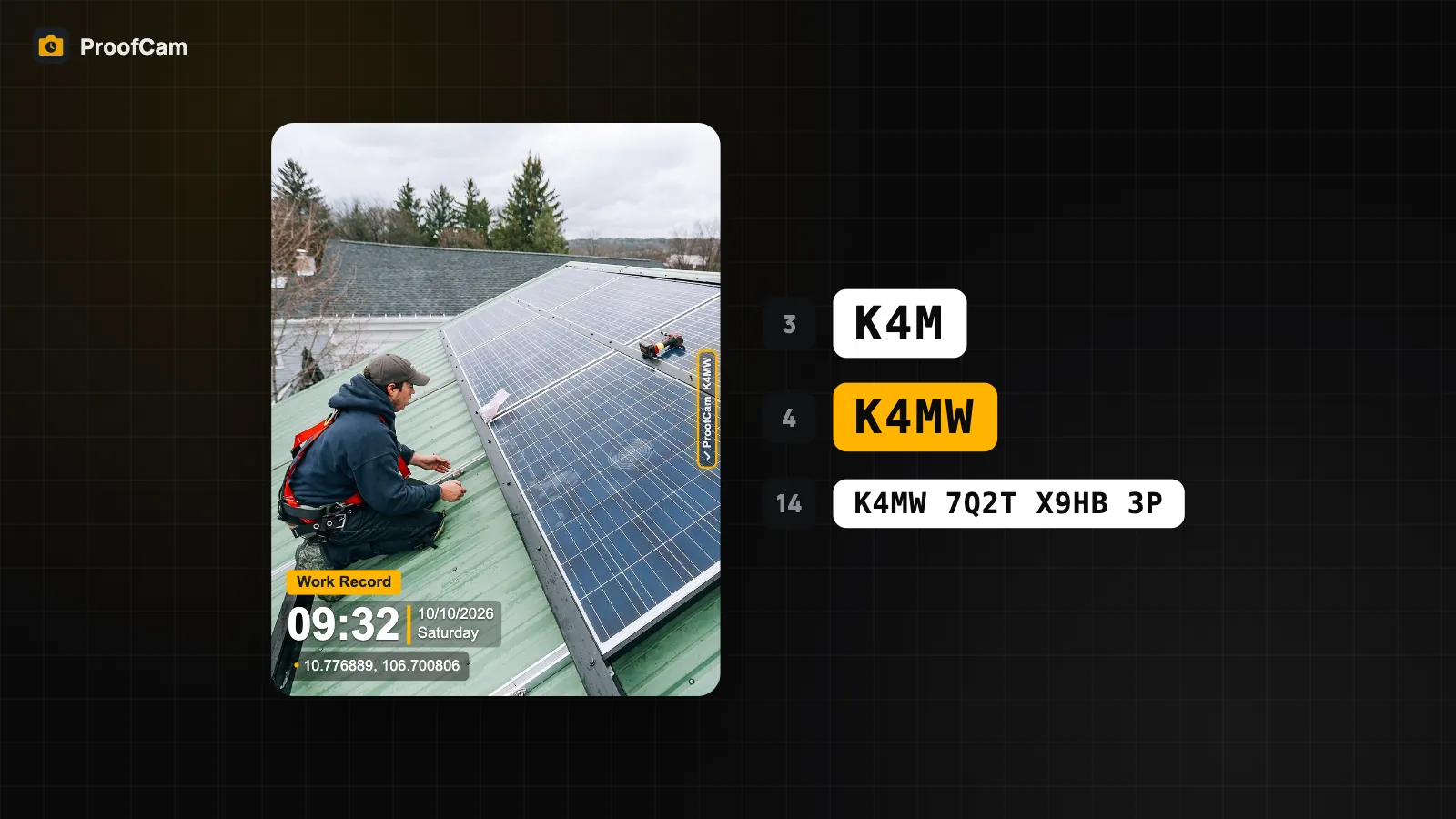
- The Photo Code, a short code printed on the photo and stored in the file's metadata.
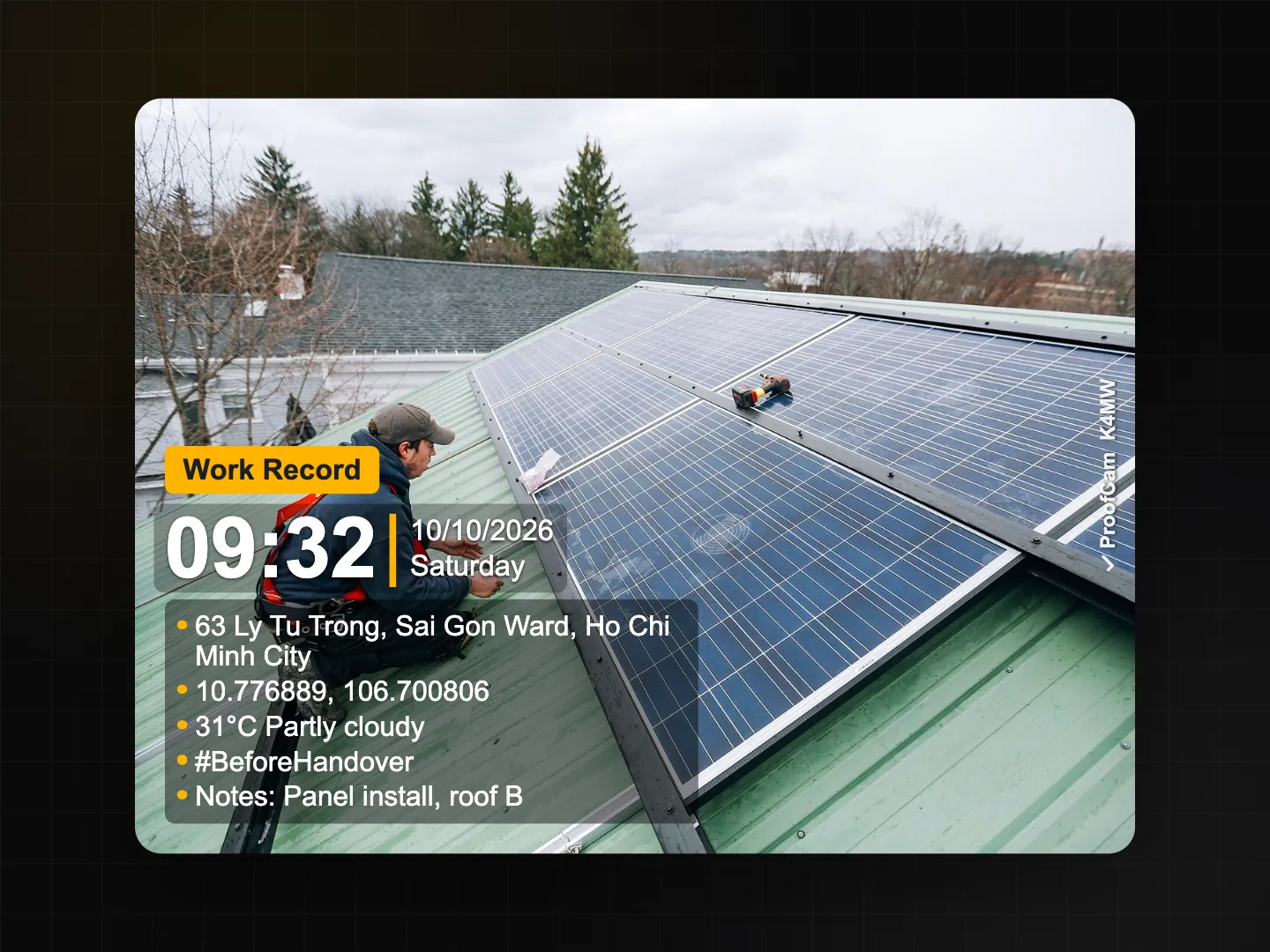
What you see in the live preview is exactly what is saved. The same drawing engine renders the preview, the photo, videos and the template thumbnails, so there are no surprises after capture.
Why the time and place are harder to fake
Most camera apps simply print whatever the phone clock says, and anyone can change the phone clock in a few taps. ProofCam takes its time from internet time servers (and, on Android, from satellite time) and keeps counting on an internal clock that the user cannot adjust. Changing the date in the phone settings does not change the stamp. If the app could not confirm the time, the photo is marked as "device time" instead of passing silently. Read more in network time vs. phone clock.
For location, ProofCam reads GPS while the camera is open, looks up the address, and shows a location trust grade (A to D) that warns when the position looks unreliable or a fake-GPS app is running.
Photo Code: checking whether a photo is the original
Every photo gets a unique 14-character code. You can print the full code or a short 3 or 4 character version on the stamp. Anyone who receives the photo, for example a client or an inspector, can enter the code on the ProofCam verify page (/#verify) to see when and where it was taken, and drop the file in to check whether it still matches the original fingerprint.
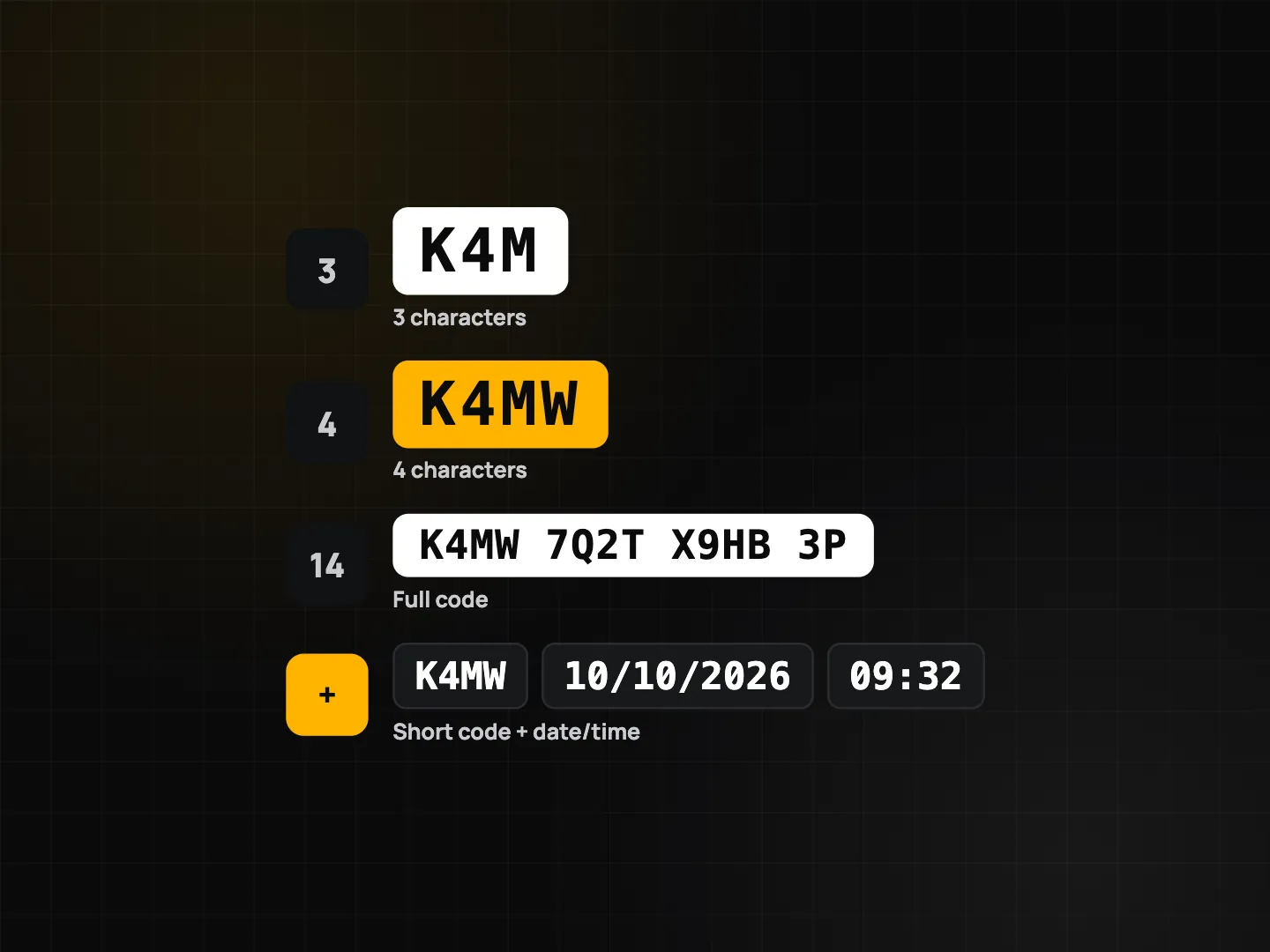
The details are in Photo Code: verify original photos.
How to take your first stamped photo
- Install ProofCam and open it. Allow the camera and location permissions (location is read only while the camera is open, or for project reminders you turn on).
- Pick a watermark template, for example Construction, Inspection or Proof of Delivery. You can change it any time from the camera screen.
- Wait a moment for GPS and the address to appear, then press the shutter (the volume keys work too).
- Open the photo in the gallery to see its details, map position and Photo Code, then share it or export it.
More than a camera
Once photos carry trustworthy time and place, a lot of paperwork gets easier:
- Clock in with a photo: clock in, take breaks and clock out with a stamped photo, with an optional selfie check and project geofences.
- Checklists and reports: checklists with required photos and signatures; exports to PDF, Excel, ZIP or Google Earth (KMZ); before/after collages.
- Works offline: photos, codes and timesheets are saved on the phone first and sync when you are back online.
- Teams (Business): Teamspace with shared projects, tasks, comments and a web portal for managers.
ProofCam runs on Android and iPhone, with extras for Wear OS and Apple Watch.
Which plan do you need?
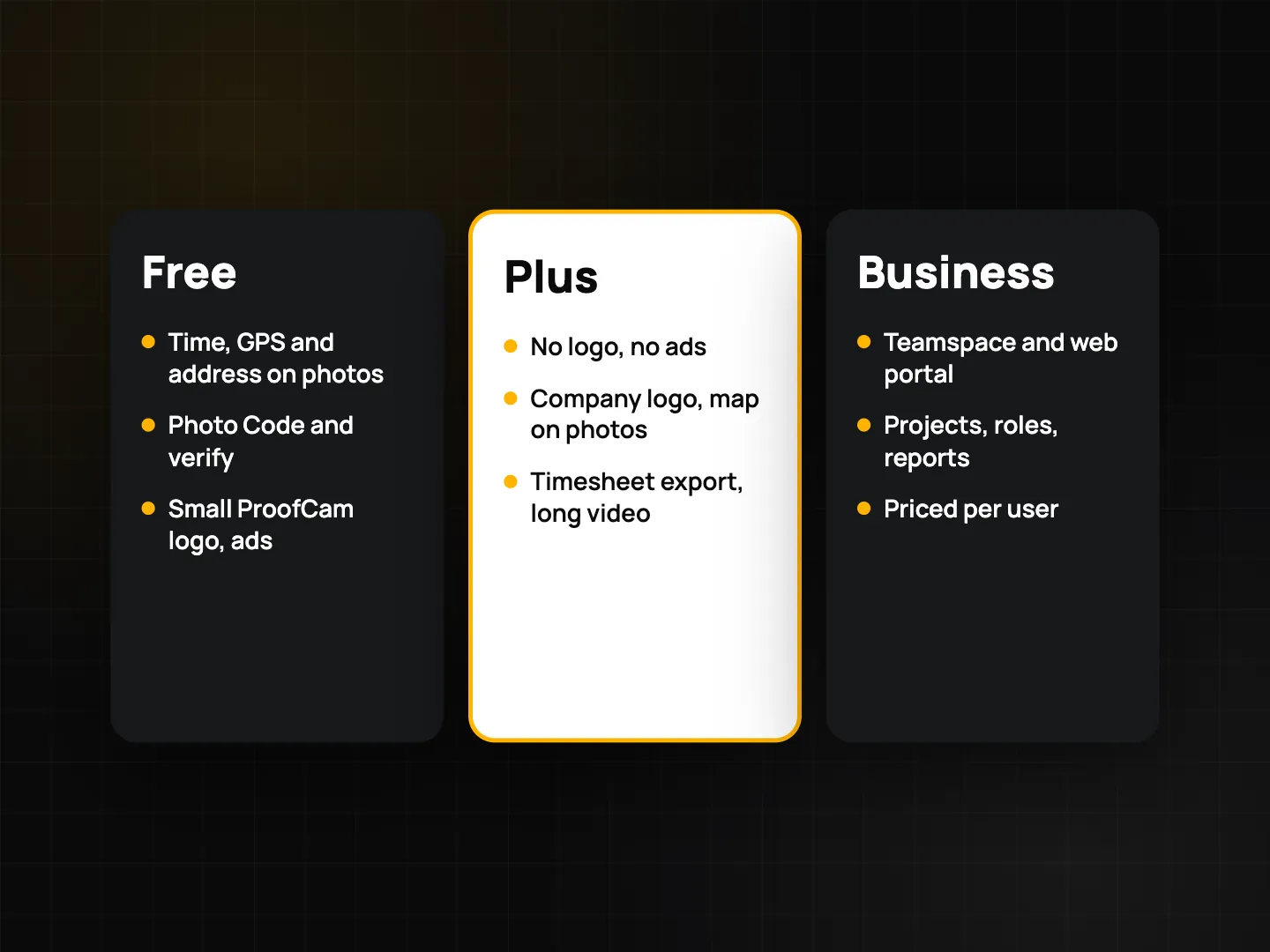
| Plan | Good for | Highlights |
|---|---|---|
| Free | Trying it out, occasional proof photos | Network time, GPS and address, Photo Code and verification, 6 watermark styles, up to 3 custom templates, exports of 10 photos at a time. Small ProofCam logo on photos, ads outside the camera. |
| Plus | Individuals who shoot every day | No ads and no ProofCam logo, your company logo and a mini map on photos, unlimited templates and exports, long videos, timesheet export. |
| Business | Teams and managers | Teamspace, shared projects, roles, web portal, share links. New teams can start with a 14-day Business trial. |
Network time and Photo Code are included in every plan, including Free.
Tips for photos that hold up
- Wait for a good location fix before shooting. Outdoors, give GPS a few seconds; the trust grade shows when the position is ready.
- Keep the original file. Chat apps compress images, so a forwarded copy no longer matches the original fingerprint, although its Photo Code still points to the original record.
- Use notes and tags consistently (job number, floor, area) so photos are easy to find and sort in reports.
- Take a wide shot first, then close-ups, so the context is clear.
FAQ
Do I need an account to use ProofCam?
No. You can take stamped photos and verify them without signing in. An account is only needed for cloud features such as Teamspace and share links.
Does ProofCam work without internet?
Yes. Capture, stamping, clock-in, checklists and exports work offline. Photo Codes come from a pool stored on the phone, and photos sync when you are back online.
Is ProofCam available on iPhone?
Yes. ProofCam runs on Android and iPhone with the same watermark, network time and Photo Code. A few checks differ because iOS exposes less sensor data; for example, the location trust grade on iPhone is a basic check.